

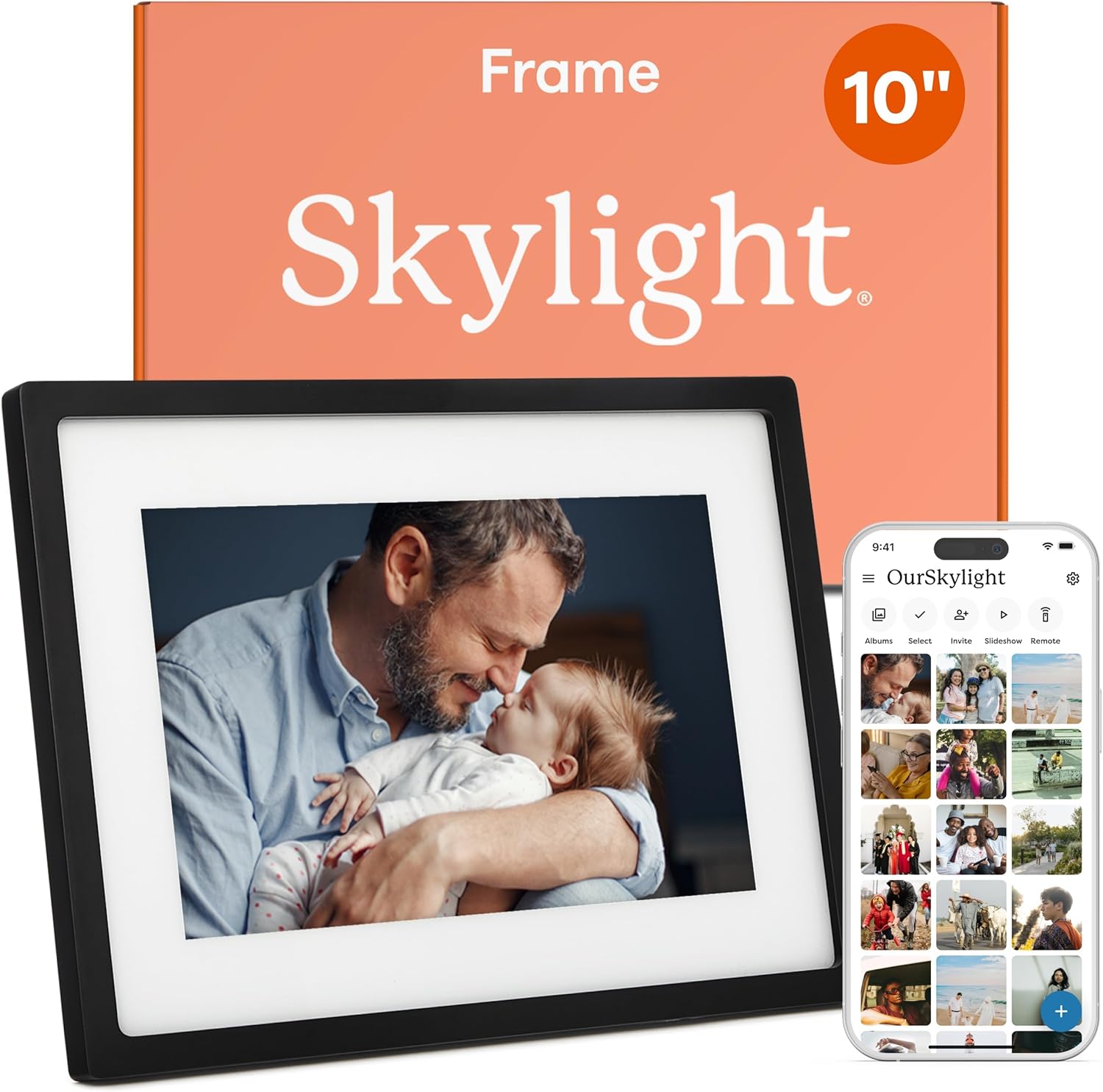


Skylight Digital Picture Frame: A Wi-Fi Photo Frame That Keeps Families Connected
Digital photo frames have come a long way from the days of loading images onto a memory card and hoping the slideshow worked. The Skylight Digital Picture Frame takes a different approach, leaning on Wi-Fi and cloud-based storage to remove much of the friction that used to come with keeping a frame stocked with fresh photos. With a 10-inch color touch-screen display, a stated 1280×800 resolution, and the ability to load photos from a phone, it is aimed at people who want a photo frame that stays current without constant hands-on maintenance.
This review looks at what the Skylight frame offers based on the manufacturer’s stated information, what its features mean in practical terms, and who is likely to get the most out of it.
Design and Display
The Skylight frame is listed in a black finish with a 10-inch color touch-screen display. The stated resolution is 1280×800, which the manufacturer describes as a Full HD display. The touch-screen interface is worth noting because it means navigation happens directly on the frame rather than through buttons or a remote, which can simplify things for anyone who is not comfortable with complex menus.
The product dimensions are listed as 30 x 2.3 x 22 cm, with a weight of 680 grams. That profile suggests a frame that can sit on a shelf, mantel, or desk without taking up a great deal of space, and the relatively slim 2.3 cm depth is consistent with a frame designed to blend into a room rather than dominate it.
The manufacturer describes the design as elegant, pairing a traditional photo frame look with modern display technology. Since the frame relies on cloud-based storage, there is no need to keep SD cards on hand or swap them out when you want to change the photos on display.
Features and Technology
The core idea behind the Skylight frame is simplicity. Setup is described as a three-step process: plug the frame in, connect it to Wi-Fi, and select a unique Skylight email address. Once that email address exists, photos and videos can be shared to the frame from anywhere, and they appear on the display. The manufacturer frames this as a plug-and-play experience, and the email-based sharing model is what makes that possible — instead of syncing through an app or transferring files manually, you send photos to an address.
That approach has a practical benefit: anyone with the frame’s email address can contribute photos, whether or not they use the same apps or services as the frame’s owner. The manufacturer positions the frame as a bridge for every generation, describing it as a space for people who are not on social media and as a source of daily updates for those who are. In other words, the frame is designed to work as a shared family photo destination rather than a personal device tied to one person’s account.
Two features stand out for gift-givers. Gift Mode allows the frame to be preloaded and personalized before it is unboxed, so it can arrive ready to enjoy rather than requiring setup by the recipient. Offline mode allows existing photos to be viewed without a Wi-Fi connection, though the manufacturer notes that a Wi-Fi connection is required to receive or upload new photos. That distinction matters: offline mode is about viewing what is already on the frame, not about adding to it.
Performance and Everyday Experience
Because the frame pulls photos in through a dedicated email address, the everyday experience revolves around sending rather than managing. Family members can share a photo or video when something worth sharing happens, and it shows up on the frame without anyone needing to plug in a card or navigate a file system. The manufacturer describes this as a way to turn an ordinary day into a special occasion, and the low effort involved in sending a single photo is what makes that realistic on a regular basis.
The touch-screen display supports on-frame interaction, and the 1280×800 resolution is the stated specification for how images are rendered. The frame is also described as supporting video playback alongside photos, which broadens what can be shared beyond still images.
It is worth being clear about what the supplied information does and does not cover. The manufacturer describes the display resolution and the sharing workflow, but it does not provide details about internal storage capacity, supported file formats, or specific app requirements beyond the phone-loading capability referenced in the product title. Those are areas where buyers may want to check the current listing for the most accurate details, since such specifications can vary.
Connectivity and Setup
Wi-Fi is central to how this frame operates. The initial setup requires a Wi-Fi connection, and ongoing photo and video delivery depends on it as well. The unique Skylight email address acts as the delivery point for new content, which means the frame does not need to be physically handled to receive updates.
Offline mode provides a fallback for viewing photos that are already loaded, which could be useful in situations where the Wi-Fi connection is unavailable. The manufacturer is explicit that new photos cannot be received or uploaded without a connection, so offline mode should be understood as a viewing mode rather than a full offline experience.
The frame is listed with a model number of 916496 and a date first available of January 17, 2017, with China listed as the country of origin. These are identifying details rather than performance characteristics, but they can be helpful when confirming you are looking at the correct model.
Who Is This Product Best For?
Based on the manufacturer’s stated use cases, the Skylight frame is aimed at people who want to share photos with family members in a way that does not depend on social media. The manufacturer specifically describes it as a space for those who are not on social media, which suggests it suits relatives who would rather receive photos directly than scroll through a feed.
It also fits gift-givers. The combination of Gift Mode, which allows preloading and personalizing before unboxing, and the email-based sharing model means the frame can be set up as a ready-to-use gift. Anyone who wants to send photos to a parent, grandparent, or other family member without walking them through an app installation may find that workflow appealing.
Finally, it suits households that want a shared display rather than a personal device. Because multiple people can send to the same email address, the frame can function as a collective photo destination for a family or group.
Final Verdict
The Skylight Digital Picture Frame is built around a straightforward premise: make it easy to get photos onto a frame and keep them coming. The 10-inch touch-screen display, the stated 1280×800 resolution, Wi-Fi connectivity, and email-based photo delivery all support that goal. Gift Mode and offline viewing add flexibility for gift-givers and for situations where a connection is not available.
The main trade-off is that the frame’s core functionality depends on a Wi-Fi connection and on the Skylight email workflow. That is a deliberate design choice rather than a drawback, but it does mean buyers should be comfortable with that model. For anyone looking for a digital photo frame that prioritizes simple, ongoing sharing over manual file management, the Skylight frame’s feature set is clearly oriented in that direction.