




Skylight Calendar 15″ Wall Planner Digital Calendar & Chore Chart, White
Managing a busy household often means juggling several calendars, a running grocery list, a chore rotation, and the recurring question of what everyone is eating for dinner. The Skylight Calendar 15″ Wall Planner is a digital calendar and chore chart designed to pull those threads together into one central hub. Rather than relying on paper planners or scattered phone reminders, this touchscreen display aims to give families a single shared place to see schedules, tasks, and routines at a glance.
This review looks at what the Skylight Calendar offers based on the manufacturer’s stated information, covering its design, syncing capabilities, chore and meal planning tools, and the subscription features that expand what the device can do.
Design & Build Quality
The Skylight Calendar is built around a 15.4-inch HD touchscreen, which gives it a generous display area for a wall-mounted or countertop device. According to the manufacturer, the unit measures approximately 40.13 x 25.15 x 3.56 cm and weighs around 3.66 kg. That weight and footprint suggest a substantial piece of hardware rather than a lightweight tablet, which makes sense for something intended to live on a wall or sit steadily on a counter.
One of the more practical design choices is the flexibility in how it can be placed. Skylight states that the calendar can either be mounted to a wall or positioned on a countertop, so it can adapt to a kitchen, hallway, or home office depending on where a family wants their central hub. The white finish keeps the look neutral, allowing it to blend into a range of interior styles rather than standing out as a piece of technology.
Features & Technology
At its core, the Skylight Calendar is a smart wall planner that combines several household tools into one interface. It functions as a digital calendar, a chore chart, and a meal planner, with the manufacturer describing it as designed for 2025 and beyond. The touchscreen interface allows events to be added directly on the device, and color coding lets different family members or event types be visually separated.
Calendar syncing is a central part of the experience. Skylight states that the device is compatible with Google, iCloud, Outlook, Cozi, and Yahoo calendars, which means existing schedules from those services can be brought together rather than recreated from scratch. Events can also be added through the Skylight app, giving users a second way to update the calendar when they are away from the display.
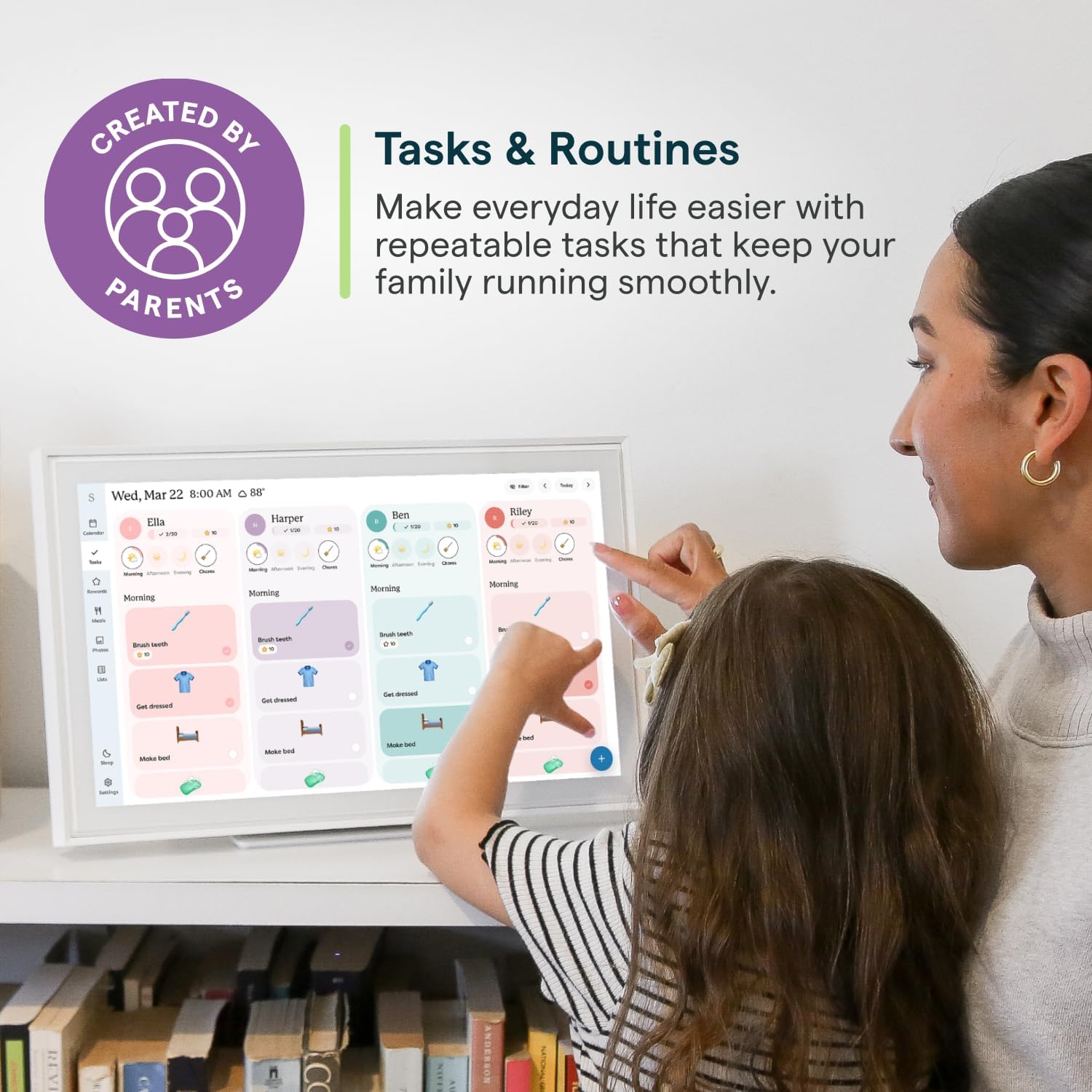
Beyond scheduling, the device includes a chore chart feature that lets families build personalized chores and assign them to individuals. The manufacturer frames this as a way to build habits and encourage independence. There is also a meal planning function that displays weekly meal plans, which Skylight describes as a way to reduce the daily stress of deciding what’s for dinner.
For families who want more, Skylight offers an optional premium subscription called the Plus Plan. This unlocks features including Magic Import, a photo screensaver, meal planning, and stars and rewards. Because these are tied to the subscription, they are not part of the base experience and depend on whether a household chooses to add the plan.
Disney Mode and Family Engagement
One feature that stands out is Disney Mode, which Skylight describes as featuring 16 iconic characters. It uses animations, avatars, and screensavers to encourage families to work together. According to the manufacturer, this mode is only available on Skylight Calendar and requires the Calendar Plus subscription. It is a clear attempt to make routine tasks more engaging, particularly for younger family members who might respond better to characters and rewards than to a plain list of chores.
Performance & Everyday Experience
Setup is described as straightforward: plug in the device, connect it to Wi-Fi, and sync calendars, which Skylight says can be done in minutes. Once running, the calendar acts as a shared reference point for the household. Because it supports Calendars, Tasks, and Lists for the whole family, it can serve as more than just a schedule board — it becomes a place where to-dos and reminders live alongside events.
The value of a shared display like this tends to show up in the small daily moments: checking who has what appointment, confirming whose turn it is for a chore, or glancing at the week’s meals before heading to the store. The touchscreen format means updates happen on the spot rather than being written down and transferred later. The ability to add events through the Skylight app also means the calendar stays current even when someone is not standing in front of it.
It is worth noting that some of the more advanced capabilities, such as Magic Import, the photo screensaver, and the stars and rewards system, are tied to the optional Plus Plan. Households that want those extras will need to factor in the subscription, while those focused on core calendar syncing, chores, and lists can use the device without it.
Connectivity & Compatibility
The Skylight Calendar requires a Wi-Fi connection to sync calendars and access app-based features. Its stated compatibility with Google, iCloud, Outlook, Cozi, and Yahoo covers many of the calendar services families commonly use, which reduces the friction of consolidating schedules. The Skylight app provides an additional control point, and the device itself supports direct touch input for adding events.
Who Is This Product Best For?
Based on the manufacturer’s description, the Skylight Calendar is aimed at busy families who want one central hub for schedules, chores, and meal plans. Households already using Google, iCloud, Outlook, Cozi, or Yahoo calendars are a natural fit, since those services can be synced to the display. Parents looking for a way to assign chores and encourage independence among children may find the chore chart and rewards features relevant, particularly with Disney Mode available through the Plus Plan. It may also suit anyone who prefers a wall-mounted or countertop display over checking multiple phones throughout the day.
Final Verdict
The Skylight Calendar 15″ Wall Planner positions itself as a multi-purpose household organizer rather than a single-function calendar. Its 15.4-inch HD touchscreen, flexible wall or countertop placement, and compatibility with several major calendar services give it a practical foundation for families who want their schedules in one visible place. The addition of chore charts, meal planning, and lists extends its usefulness beyond simple event tracking.
The main consideration is the optional Plus Plan, which gates features like Magic Import, the photo screensaver, meal planning, and stars and rewards, as well as Disney Mode. Whether those extras matter will depend on how much a household wants from the device beyond core calendar syncing and task management. For families seeking a shared digital hub that brings calendars, chores, and routines together, the Skylight Calendar is designed to serve exactly that role.


