




Gimars RGB Gaming Mouse Pad with 15W Wireless Charging Review
Desk setups have evolved well beyond just a keyboard and mouse. For many gamers and remote workers, the surface beneath those peripherals now plays a significant role in both comfort and functionality. The Gimars RGB Gaming Mouse Pad attempts to combine several popular desk accessories into one large, illuminated mat. It integrates wireless charging, a substantial desk surface, and customizable lighting into a single product. This review examines what this mouse pad offers, based on the product specifications and stated features, to help you determine if it fits your workspace needs.
Design & Build Quality
The first thing to note about this mouse pad is its size. With dimensions of 30 x 80 centimeters and a thickness of 4mm, it falls into the extra-large desk mat category. This is not a small pad for a mouse alone; it is designed to sit under your keyboard, mouse, and other desktop items. The stated goal is to help tidy a desk by providing a unified surface that covers the main work area. The pad weighs 860 grams, which contributes to a sense of substance on the desk.
Construction details point toward a focus on durability and stability. The base is described as being made of natural rubber, with a textured surface intended to help it grip the desktop firmly. This anti-slip design is meant to keep the mat stable and prevent it from moving during intense gaming sessions or busy workdays. The surface itself is an ultra-high-density micro-textured fabric. According to the product information, this fabric is designed to accurately track and calibrate all mouse type sensors for smoother mouse movements. It is also stated to be water-resistant, which makes it easier to clean and more resistant to spills and crumbs—a practical feature for anyone who eats or drinks at their desk.
The edges have received attention as well. The mouse pad features high-quality edging with a double pressing process. This is designed to prevent the edges from fraying or separating over time. The manufacturer also states that the pad lies flat easily without curling. However, they do note that a very few units may temporarily curl due to long-term transportation. If that occurs, they recommend letting it stand for 12 hours or pressing it with heavy objects to resolve the issue. This is a transparent acknowledgment of a common issue with large desk mats shipped in rolled packaging.
Features & Technology
The headline feature is the integrated 15W Qi wireless charging capability. This is not just a charging coil placed somewhere under the surface; the pad includes a raised charging platform. The purpose of this elevated section is to allow for easy and precise positioning of your phone. The manufacturer claims that this design increases the charging success rate by 80%, as it helps users align their device with the charging coil correctly.
Compatibility is a key consideration for any wireless charger. The pad is stated to be compatible with devices that support the Qi standard. The provided list includes a wide range of iPhone models, from the iPhone XR/XS through to the iPhone 16 series, as well as several Samsung Galaxy S and Note models. It is important to note that this is a stated compatibility list and not a guarantee for every Qi-enabled device on the market. The charging speed is variable, and the product information clarifies that achieving the faster speeds requires a corresponding power adapter. Specifically, 15W, 10W, and 7.5W charging speeds require a 9V 2A, 5V 2A, or 5V 2.4A adapter respectively. Crucially, the power adapter is not included with the mouse pad. This means your actual charging speed will depend on the adapter you already own or choose to purchase separately.
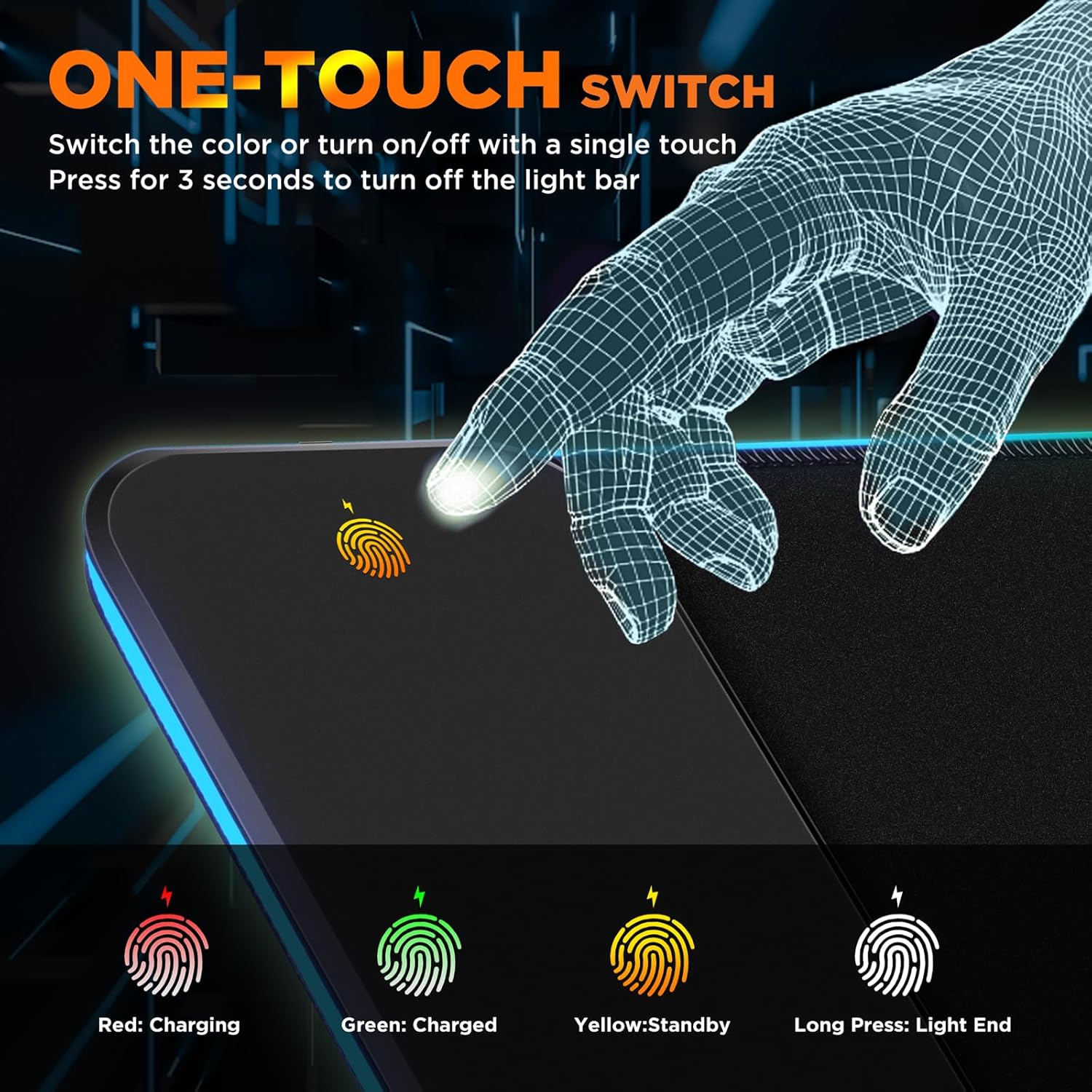
Beyond charging, the pad offers a significant amount of visual customization through its RGB lighting. There are 10 lighting modes in total, broken down into 7 static lighting modes and 3 dynamic effects. This allows users to select a color that matches their setup or choose an animated effect for a more immersive atmosphere. A memory function is included, which remembers the last light mode selected and restores it when the pad is turned on again. This is a convenient touch for users who have a preferred setting. The lighting is controlled via a long press of 3 seconds to turn the light bar off entirely.
For monitoring the charging status, the pad includes three indicator lights. These use a simple color-coding system: red indicates that a device is charging, green signals a full charge, and yellow indicates standby mode. This provides clear visual feedback without needing to check your phone’s screen.
Performance & Everyday Experience
While this review cannot report on first-hand testing, the stated features suggest how the pad might perform in a daily setting. The large surface area is designed to accommodate a full keyboard and mouse setup, which can help create a more cohesive and comfortable workstation. The ultra-thin 4mm thickness is a deliberate design choice. The product information notes that this thin profile allows the keyboard to be stacked without any slope, which can contribute to a more comfortable typing position.
The combination of the micro-textured surface and the anti-slip rubber base addresses two of the most common complaints about cheap mouse pads: poor mouse tracking and sliding. The surface is explicitly designed to work with all mouse sensors, which is a critical factor for gaming precision. The base is designed to keep the pad firmly in place, even during fast mouse movements.
The integration of the wireless charger into the pad changes the desk layout. Instead of having a separate charging stand or cable taking up space, you can place your phone on the raised platform when you sit down. The raised platform is a thoughtful addition, as it makes aligning the phone easier than with a flat charging pad. The three-color LED indicator provides immediate confirmation that your phone is charging correctly.
The Type-C interface is a modern inclusion. The product information states that the pad has been upgraded to a Type-C interface to improve charging performance. A Type-C data cable is included in the box, so you have the necessary cable to connect the pad to a power source (though, as noted, the power adapter itself is not included).
Connectivity & Compatibility
The Gimars mouse pad connects to a power source via its Type-C interface. The connection is wired, meaning the RGB lighting and the wireless charging function require the pad to be plugged into a power adapter. The pad itself does not have a battery. The wireless charging function is compatible with Qi-enabled devices, with specific iPhone and Samsung models listed as examples. It is worth remembering that the fast charging speeds are dependent on using the correct power adapter, which is not supplied with the product.
Who Is This Product Best For?
This product is best suited for individuals looking to consolidate their desk accessories. If you are a gamer who wants a large, stable surface for your keyboard and mouse, and you also own a Qi-compatible smartphone, this pad offers a way to combine your charging station and mouse pad into one unit. The RGB lighting adds an aesthetic element that can enhance the atmosphere of a gaming or work setup.
It is also a practical option for office workers who want to keep their desk clean and organized. The large surface covers a significant area, and the water-resistant fabric is designed to handle the occasional spill or crumb. The ability to charge your phone while you work without needing a separate cable or stand is a convenience that can help reduce desk clutter. However, it is not ideal for those who do not use a Qi-compatible phone, as the charging feature would be unused. Similarly, users who prefer a hard, slick mouse surface may not find the fabric texture to their liking.
Final Verdict
The Gimars RGB Gaming Mouse Pad is a feature-rich desk accessory that aims to be a central part of your setup. It combines a large, 800x300mm desk mat with a 15W Qi wireless charging platform and customizable RGB lighting. The design includes practical elements like a water-resistant surface, an anti-slip rubber base, and reinforced edging to address common durability concerns.
The wireless charging feature is a significant convenience, but it is important to note that the fast charging speeds require a compatible power adapter, which is not included. The pad’s compatibility with Qi devices is broad, covering many popular phone models. The 10 lighting modes and memory function offer a good degree of personalization.
Ultimately, this product is a practical solution for users who want to streamline their desk space without sacrificing functionality. It is a large, well-considered mouse pad that adds wireless charging and visual flair to a gaming or work environment. If you are looking for a single product to cover your mouse surface, charge your phone, and light up your desk, this Gimars pad presents a compelling combination of features.